Unity Technologies Logo

Unity iPhone Demo “Penelope” Hits The App Store

iphone-102-newsletter1

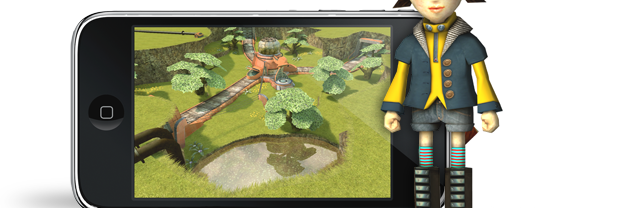
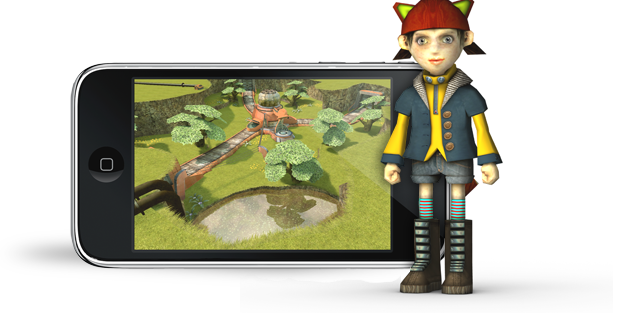
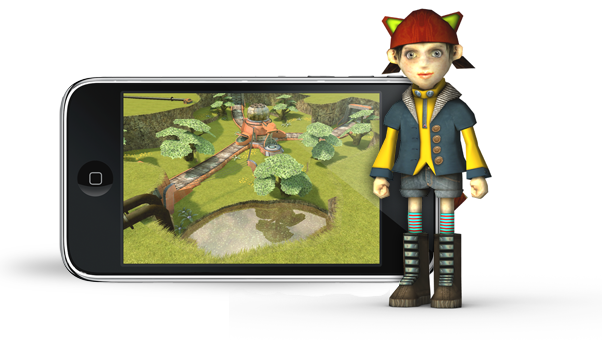
The demo team’s first example iPhone project is now available for free at the App Store. The demo is entitled Penelope and—as previously mentioned—contains examples of three different control schemes. Please check it out and look forward to a tutorial and example project in the near future!

Comments (27)

Sorry to say but it’s crashing while loading on my phone :( OS 3.0

Yea… same thing here. :(

Installs fine but does not load the game. It kicks you out to the main OS screen.
Tested on 1st Gen Ipod Touch running OS 3.0. Looking forward to you getting it working.

Just tested perfectly, on my ipod touch second gen OS 3.0. Nicely done, I cant wait to see the controller code. Its the only major area that I have had trouble on with my game. I’ll try it on my iphone 3g next, lets see what the performance is like :-)

Works fine on my 3gs iPhone. Runs smoothly and looks fantastic. Looking forward to seeing the code on the different controller options. I worked out something like the joysticks option on my own, but you guys probably did it a whole lot more elegant. Brute force coding all the way! Good job Unity Team!

HyperCapitalist

Did not work with 3.0, but works great with 3.0.1.

Crashed on the first load, second try it works on my 1st gen Touch. I have to say its framerate is to low to play smoothly.

iPhone 3gs 3.0 runs perfect, smooth and kicks ass. Can’t wait for the tut.

Works great on my iPod touch 2.2.1.

Well done, lookingforward to the tutes :-)

Works good on my second gen ipod touch. Definitly looking forward to seeing how this was done, mostly on the asset level.

Crashed on first launch on an iPhone 3g running 3.0.1 just as the music on the loading screen kicked in. Ran fine on second and subsequent launches: smooth, no problems.

Runs fine on iPod Touch OS 2.2.x here. The animation is very smooth. Cannot wait till the Penelope tutorial with Unity iPhone 1.1 will be published – any ETA, folks? I’d like to start my new project at the end of August and use 1.1.

As for the crashes – I wonder if cold reboot of the device helps? if so, then it gives an idea that Penelope may use a lot of memory or has a memory leak, so the iPhone OS shuts it down as it consumes too much memory. Just an idea…

I’ve downloaded it and it works fine. I’m running it on a generation 2 iPhone running OS 3.01. Make sure to restart your iPhone be for you play. I always do that when ever I add a new app. Just hold down the home button and off button (at top) until the apple logo appears. Can’t wait for 1.1 and the tut! Great job!

[...] Unity Technologies Blog » Blog Archive » Unity iPhone Demo … [...]

Working now! I needed to reboot my Ipod Touch. This time the game works as expected. Looks great! Still on OS 3.0 didn’t upgrade the OS yet.

Nice!

works great on my iPhone 3gs , rendering beautifully! performance is great! reflections are great! can’t wait for the tutorial!!! please hurry!!!

Seems like people made it work for restarting the device – that is a hint for Unity folks ;) – the sample app may use too much memory, or there is a memory leak in Unity iPhone 1.1 or the tutorial itself…

Working great on 3GS w/3.0.1! Can’t wait for the 1.1 update!

I usually have trouble with it loading up the first time. It usually takes once or twice before it will not crash out to OS

I have an iPhone 3G with 3.0.1 OS.

Thanks for putting this together! Looking forward to the tutorials.

Failed to launch first time with ipod gen 1, but all launches after work fine :) Great Job!

First launch crashed, second launch worked like a charm! I’m on iPone 2G running OS 3.0.1. I did not have to reboot, but just start the app again.

[...] Unity iPhone Examples and Source code Penelope- Unity iPhone Demo at the Appstore [...]

[...] Penelope- Unity iPhone Demo at the Appstore [...]

[...] Penelope- Unity iPhone Demo at the Appstore [...]

[...] Penelope- Unity iPhone Demo at the Appstore [...]